
aSa CAD/Detailing
aSa CAD/Detailing, developed by Applied Systems Associates Inc and integrated with Bentley ProStructures, is an application and plug-in solution designed for the energy production and transportation industries that streamlines and automates rebar detailing, management, and tracking through powerful tools and real-time reporting to enhance accuracy, efficiency, and workflow in design and fabrication phases.
Close
What is it you are searching for ?
Search our site for products, services, training and support

Connect with providers of complementary solutions to drive successful infrastructure projects
Explore and engage with our global, innovative ecosystem to streamline workflows, and achieve greater efficiency.
Slide 1 of 1
Search aSa CAD/Detailing
aSa CAD/Detailing
Applied Systems Associates Inc
Enquire Now
Solution Type:
Applications and Plug-ins
Platform Category:
- Open Applications and MicroStation
Lifecycle Phase:
- Design
Industry:
- Energy Production
- Transportation
Web Page:
https://asahq.com/Solutions/Rebar-Fabrication-Solutions/CAD-Detailing
Partner Spotlight:
https://www.bentley.com/partner-spotlight-asa-rebar-systems/
aSa CAD/Detailing combines Bentley ProStructures design tools with aSa-developed applications for detailing and managing rebar information.
Solution Description
aSa CAD/Detailing gives you the competitive advantage. Detailing is simple, fast, and error-free; drawings are clear and placer-friendly; reports show up-to-the-minute job progress; and material is tracked through the shop and field via aSa’s integrated software products.
Powerful detailing tools like aSa Beam, Linear, Circular Area, Slab, and others automate bar development, eliminating the need to manually draw bars and type each item’s callout.
When you take off material, bar details are automatically loaded into your aSa.Studio database and available to downstream scheduling, operations, and project management tools.
Benefits
Set up projects in seconds
View and open all of your jobs, 2D drawings, and 3D models from a single powerful interface. Open and manage AutoCAD® and other file formats.
Decrease turn-around time
aSa software automates every step of the detailing process, from initial project setup to easy material takeoff directly from the drawing.
Eliminate tedious drawing tasks
Beam, Column, Linear Area, and many other detailing tools are built into the system. You enter the basics such as clearances and laps, and the program handles all the drawing and detailing.
Reduce shortages & errors
Built-in calculations and error-checking help prevent mistakes. The system tracks each item, so you always know what is taken off and what remains.
Accommodate fabricating and placing needs
Tag messages, special material groupings, and placer-specific reports allow you to help shop and field crews work more efficiently.
Never lose track of your material
aSa records and reports detailed and taken-off weights per area, drawing, project, and detailer. Downstream reports compare detailed to estimated, shipped, and billed weight values.
True “digital delivery” for your rebar schedules
DOTs nationwide are asking for a true digital alternative to the PDF bar lists that still travel with contract drawings. CAD/Detailing delivers exactly that. Instead of re-keying every bar mark from a static PDF—an error-prone, time-consuming step—fabricators receive a clean digital file they can import straight into their fabrication software. - No Manual Entry = Fewer Mistakes – Eliminate typos, omissions, and the costly rework they cause. - Ready the Moment the Job Is Awarded – A bill of material that drops directly into fabrication accelerates cutting, bending, and on-site delivery. - Built-In Tools – Use our customizable schedule templates, extensive bend-library, and Shape Manager can handle standard bars and those special shapes every project throws your way. CAD/Detailing turns your PDF schedule into a fully digital hand-off, so projects move from award to fabricated reinforcing without the bottlenecks.
Features
Powerful drafting
- Streamline the drawing process. AccuDraw allows you to precisely control the position and orientation of any object. - Keep your work organized. Each of the drawing’s layers has built-in intelligence; the system understands and distinguishes concrete, rebar, callouts, miscellaneous products, and taken-off material. - Open, modify, and output native AutoCAD files from within ProStructures.
Smart detailing
Save hours of detailing time with tools to automate reinforcing for common structures, including: columns, beams, linear areas, circular areas, radial steel, tie configurations, and more.
Intelligent takeoff
Easily select bars to take off: draw a box around the desired area; click to select specific callouts; or select based on plan, section, or numerous other filters
The program automatically builds an order of all rebar, mesh, and miscellaneous items contained in your selection.
Taken-off items change color for easy identification on the drawing. They are also restricted from future accidental takeoff.
Integration
Takeoff data from CAD is automatically accessible to downstream applications for reporting, scheduling, tag generation, and shipping.
Check the real-time fabrication and shipping status of any callout on your drawing.
Compare estimated, detailed, shipped, and billed weights for all your projects.
aSa CAD Vault
A file management system designed specifically for the needs of rebar detailers. While actively working on a 2D CAD drawing or 3D model, the file is stored locally for optimal performance. When you’re finished or at a breaking point, simply save the drawing to the Vault—secure cloud storage. Includes collaboration tools, revision history, cloud backup, and version control.
Prerequisites
Prerequisites
Requires ProStructures installation. aSa is add-on to the base modeling package. Hardware specifications are available upon request.
Support & Maintenance
Worldwide Multi-Channel Support
We have trained consultants on multiple continents to help you when you need it. Because we cover time zones all over the globe, aSa support is nearly round the clock. When you have a question or an issue, you have several options for getting in touch: - Telephone – toll-free in North America. - Email – send a message to an entire consulting group, and the first available person will respond. - Web Help Desk – enter and track support tickets online.
Exclusive Access to our Client Care Portal
The Client Care Portal is a special website just for employees of companies enrolled in Client Care. Portal resources include: - Software and hardware upgrade links - Web Help Desk – online support tickets - eLearn – our catalog of training videos and recorded webinars - KnowledgeBase - hundreds of tips, hints, and FAQ answers Documentation Library – all our user guides in PDF format Staff Directory – includes photos, emails, and phone extensions
Trained Experts
The consultants who answer your questions have years of experience installing and providing training for aSa software products. Several members of our team have worked as rebar detailers, using the products they now support.
Follow Up Care
We have a system to track enhancement requests and reported issues. All customer-initiated changes are documented in each version's release notes.
Upgrades included in your subscription
We invest your subscription dollars in continuous research and development, so your tools will always continue to improve.
All major and minor upgrades to CAD/Detailing are included as long as your subscription is current.
Bentley Brands Associated with Solution
- ProStructures
Additional Material
aSa CAD/Detailing Brochure
aSa CAD/Detailing Brochure
Reinforcer Newsletter
See CAD Vault article on page 11.
Images


Video
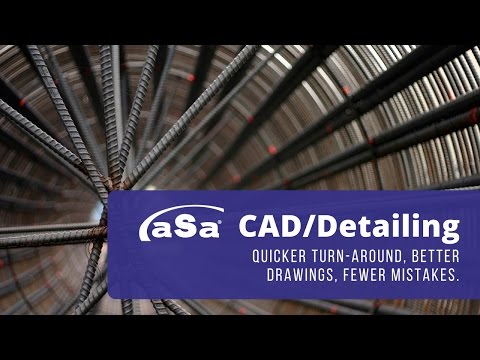
aSa Rebar Software: CAD/Detailing
http://www.asarebar.com/Solutions/RebarSoftware/CADDetailing.aspx Bundled with MicroStation®, aSa CAD/Detailing assists you in creating placing drawings with speed and accuracy. Bar details taken off from the drawing are instantly available to aSa Bar List and other downstream applications. The program automates every aspect of the detailing process, from initial project setup, to creating the drawing, producing accurate bar details, and advanced reporting. Material takeoff is also completely automated, so you'll never forget or duplicate material to be fabricated. - Reduce shortages & errors - Built-in calculations and error-checking help prevent mistakes. The system tracks and color-codes each item, so you always know what is taken-off and what remains. - Turn projects around quicker - aSa software automates every step of the detailing process, from initial project setup to easy material takeoff directly from the drawing. - Eliminate complicated CAD file imports - MicroStation V8 allows you to open and modify native AutoCAD® files. - Accommodate fabricating and placing needs - Tag messages, special material groupings, and placer-specific reports allow the detailer to help shop and field crews work more efficiently. - Detail rebar and everything else - Include rebar, plain round, mesh, and all accessories on your drawing. - Automate drawing and detailing of structures such as beams and columns - Built-in tools calculate required steel and place these and other common structure types, including linear and circular areas, openings, and footings. You enter the basics such as clearances and laps, and the program handles all the drawing and detailing. Learn More: - Take a tour of aSa CAD/Detailing images: http://www.asarebar.com/Solutions/RebarSoftware/CADDetailing.aspx#807 - View aSa Bar List brochure: http://www.asarebar.com/Portals/0/Solutions/Rebar/Documents/caddetailing\_brochure.pdf
a6467108339449856.cdn.optimizely.com
a6467108339449856.cdn.optimizely.com is blocked
This page has been blocked by an extension
- Try disabling your extensions.
ERR_BLOCKED_BY_CLIENT
Reload
This page has been blocked by an extension