
Artifex Reinforcement by Wellcom Software GmbH
Artifex Reinforcement by Wellcom Software GmbH is a specialized application and plug-in for MicroStation platforms, developed since 1988 to provide comprehensive 2D and 3D bar and mesh reinforcement planning solutions for reinforced concrete construction across architecture, engineering, and civil infrastructure projects such as residential buildings, bridges, and canals.
Close
What is it you are searching for ?
Search our site for products, services, training and support

Connect with providers of complementary solutions to drive successful infrastructure projects
Explore and engage with our global, innovative ecosystem to streamline workflows, and achieve greater efficiency.
Slide 1 of 1
Search Artifex Reinforcement
Artifex Reinforcement
Wellcom Software GmbH
Enquire Now
Solution Type:
Applications and Plug-ins
Platform Category:
- Open Applications and MicroStation
Lifecycle Phase:
- Build
- Design
Industry:
- Architecture, Engineering & Construction
Web Page:
Company Description
WELLCOM Software GmbH has been developing solutions for the construction industry since 1988.
Starting in 1990 with MicroStation 4 under Microsoft DOS, these solutions, as MicroStation applications, continue to serve as reliable extensions in architecture and civil engineering, especially in reinforced concrete construction.
2D and 3D bar and mesh reinforcement
Solution Description
Anyone working in the construction industry knows that concrete (reinforced concrete) is and will remain the leading building material. Regardless of the software you use to plan your structures, whether in building construction or civil engineering, you need software for reinforcement plans. This software should cover the entire spectrum of reinforced concrete construction.
Whether you're planning and designing residential buildings, bridges, canals, or anything else, Artifex reinforcement planning helps when it comes to reinforcement plans!
Because we provide a tool that allows you to create your reinforcement plans in 2D or 3D, or even 2D and 3D in a single drawing.
Benefits
Integrated Macro Language
An important feature is the integrated macro language (WPS). It allows for the automation of various standard tasks. Recurring parameterized standard components such as individual foundations, columns, staircases, and the like can be created with just a few entries. The macro language is based on BASIC and is easy to learn. Links to VBA are possible. A number of standard components, as well as the macro language, are included with the reinforcement software.
Automatic Steel and Mesh Lists
Changes to quantity, bend shape, diameter, or individual lengths are immediately updated in all linked representations. This makes changes easy, even in complex reinforcement drawings. The tedious search for related representations is eliminated. Should this search still be necessary, intelligent search functions are available. Incorrect steel lists due to forgotten partial changes are a thing of the past.
CAD Reinforcement with Intelligent Objects
When you input bar or mesh reinforcement, a model is generated in a database. Any number of representations of this model can be inserted into the reinforcement plan and are automatically linked to the model's technical data. Input via parametric objects allows reinforcement to be entered into any CAD drawing. Special 2D or 3D objects as "formwork edges" are not required, but can be used when working with the artifex building design software or special functions of the reinforcement program.
Features
Automatic Steel and Mesh Lists
Steel and mesh lists can be generated with just a few mouse clicks at any time during and after plan editing. A wide variety of lists are available, which can be inserted into the plan, exported to a file, or printed. Functions for generating steel and mesh lists for the entire building are also available.
Automatic assignment of position numbers
When entering or changing reinforcement positions, the program checks whether a position with identical data already exists and automatically assigns the same position number to all similar positions. The assignment of position numbers can also be controlled via various functions. Customizable position text layouts are possible.
Special bend shapes
Thanks to standard-independent special shapes, virtually all special areas of reinforcement, such as tunnel reinforcement or 3D shapes, can be created and placed. The high degree of automation and the interaction between the representations reduce the time required for placement input and allow, for example, the creation of new positions by copying and modifying existing ones
Bentley Brands Associated with Solution
- MicroStation
- OpenBuildings
Images


Video
Mesh Reinforcement
Artifex verlegt Baustahlmatten in beliebige polygonale Flächen mit Öffnungen. CAD Bewehrung für AutoCAD, BricsCAD und Microstation.
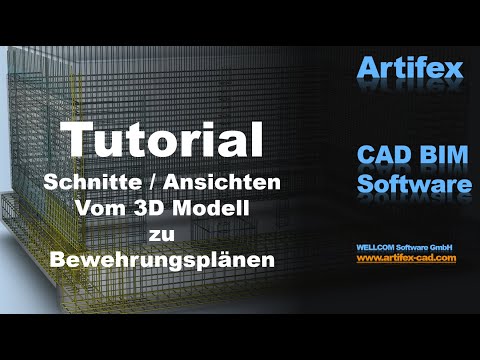
One-click derivation from the 3D model to the reinforcement plan via sections and views.
3D Reinforcement Model
Here, the component geometry is created using a building modeler (Artifex Building Design; OpenBuilding). Sections and views are generated from the model and logically linked.
The reinforcement is also represented in 3D. However, it is only entered in the global 3D reinforcement model. In the sections of the 3D model, the program automatically generates the representations of the reinforcement, which are shown as 3D lines or volumes.
Alternatively, the reinforcement can be entered directly in the sections or views. The program then automatically calculates the corresponding global 3D reinforcement model and displays it in the other sections and views.
Another option is to create virtual 3D boxes in a traditional 2D drawing, which behave like the sections and views from a 3D model.
a6467108339449856.cdn.optimizely.com
a6467108339449856.cdn.optimizely.com is blocked
This page has been blocked by an extension
- Try disabling your extensions.
ERR_BLOCKED_BY_CLIENT
Reload
This page has been blocked by an extension