OpenSite+: AI-Powered Site Design Software
OpenSite+ is an AI-powered civil engineering software designed for smarter, faster site planning and land development by automating tasks like grading optimization, enabling rapid iteration of site designs, reducing earthworks costs, and providing quicker access to key design information—all within a collaborative, cloud-based platform with scalable licensing options.
Close
What is it you are searching for ?
Search our site for products, services, training and support
OpenSite+
AI-powered site planning and designsoftware
Request pricing
BENEFITS
Design smarter site plans
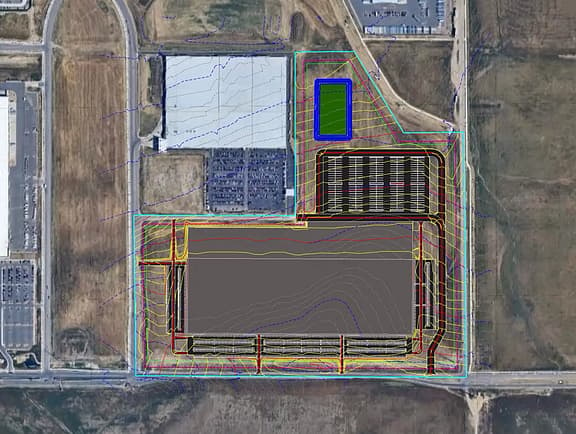
Lay out, adjust, and test site designs early to evaluate tradeoffs and reduce rework before decisions are locked in.
-
Faster iteration, less rework
Iterate site designs faster with fewer errors, reduce rework as layouts change, and deliver more consistent, buildable designs.
-
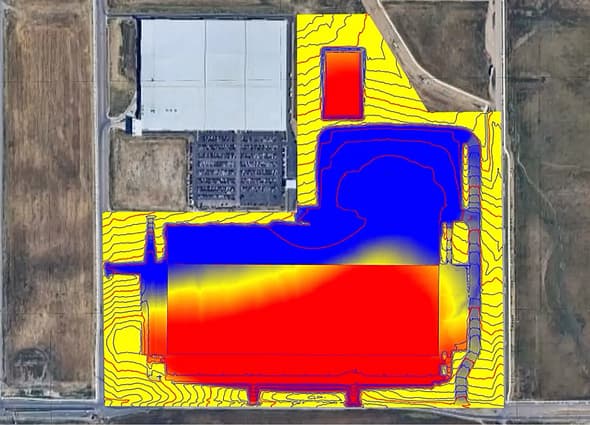
Lower earthworks costs
Understand grading impacts early to reduce unnecessary cut and fill, minimize risk, and avoid costly surprises that drive late-stage design changes.
-
Quicker answers, less manual work
Get faster access to key design information, respond to stakeholder questions sooner, and spend more time focused on design.
PRICING OPTIONS
Exclusive pricing options
OpenSite+
AI-powered civil engineering application purpose-built for site design and land development.
- Automate tedious tasks like annotations, labeling, and grading optimization
- Evaluate thousands of grading scenarios in minutes for best-value construction
- Handle layout, drainage design, and documentation seamlessly on a single platform
Request pricing
- Enterprise and other licensing options
Ask us about scalable licensing options and dedicated support.
Get in touch
Access Bentley software, training, and resources free for academic use.
Get started with Bentley Education
More details
Technical capabilities
Site layout with smart objects
- Smart, parametric site objects with embedded properties and constraints
- Automatically update grading as designs change
- Support interaction between site elements as design layouts evolve
Earthworks optimization
- One-click tool evaluates thousands of grading scenarios within project constraints
- Precise cut and fill analysis updates in real time as designs change
- Data-driven earthworks decisions integrated into everyday grading workflows
Bentley Copilot
- Use natural language or voice-activated commands to ask questions and execute tasks
- Receive evidence-based answers from existing site designs and project documentation
- Instant suggestions to complex problems with real-time design optimization
Integrated drainage design and analysis
- Built-in stormwater design and hydraulic analysis using OpenFlows technology
- Drainage design and analysis performed directly inside the site design environment
- Reduce tool switching and data loss with a unified workflow
System requirements
To run OpenSite+, the following minimum, recommended and enterprise edition system specifications are outlined below:
- The Minimum/base specification accommodates a small industrial/commercial project with several thousand tasks, and some 3D information.
- The recommended/intermediate specification accommodates a medium mixed development project with detailed 3D information.
- The enterprise/advanced specification ensures scalability and performance for the largest projects, and highly detailed 3D information.
Processor:
- Minimum/base systems: Intel Core i5 CPU, 2.3 GHz
- Recommended/intermediate systems: Intel Core i7 CPU, 3 Ghz or greater base clock, 8 cores/16 threads
- Enterprise/advanced systems: Intel Core i9 3 Ghz or greater, 8 cores / 16 threads or greater
Intel® or AMD® processor
Only 64-bit (x64) processors are supported and require support for SSE2.
Memory (RAM)
- Minimum/base systems: 16GB, 2666MHz DDR4
- Recommended/intermediate systems: 32GB, 3200MHz DDR4
- Enterprise/advanced systems: 64 GB or greater, 6000MHz DDR5
Hard disk space:
- 1 GB for installation files
- 500 MB for each local project files (typical un-synced briefcase data)
SSD is the expected disk type, preferably with NVMe.
Graphics card:
- Minimum/base systems: 4 GB
- Recommended/intermediate systems: 8 GB
- Enterprise/advanced systems: 16 GB
OpenSite+ uses advanced 3D graphics rendering techniques to produce interactive designs. Performance is application dependent and will benefit from a discrete GPU. NVIDIA CUDA support is expected.
Display:
- Minimum/base systems: 1920 x 1080 (Full HD)
- Recommended/intermediate systems: 2560 x 1080 (2K)
- Enterprise/advanced systems: 3840x2160 (4K)
Multiple monitors and Ultrawide monitors are supported.
Operating system:
- Windows 11 (64-bit)/ Windows 11 (25H2) or later - Home, Pro, Enterprise, and Education
Only 64-bit (x64) operating systems are supported Bentley does not support its software running on Microsoft operating systems versions that Microsoft has "retired". For more information see Microsoft's application retirement policy and the Bentley Application Support Lifecycle.
Others:
- Network connectivity
- Mouse with scroll wheel
Network connectivity is required for License activation, Bentley Copilot and project hosting in Bentley Infrastructure Cloud.
See more
RELATED PRODUCTS
You might also be interested in...
Enjoy OpenSite+? Expand your toolbox and your capabilities with these related products.
OpenSite Designer
Starting at
$3,168.00USD
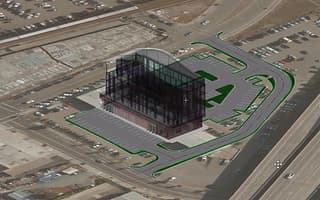
Site design software for modeling and analysis
USER STORIES
Real stories. Real results.
How VHB sees the future of site design\ (opens in new tab)
VHB examines how OpenSite+ brings together grading, drainage, and earthworks to support more connected, model-based site design workflows.

Insights from Pennoni on AI-driven site design\ (opens in new tab)
Pennoni explores how OpenSite+ can help advance how site engineers approach design, analysis, and delivery.
Set 1 of 1
FAQS
Find answers
What is OpenSite+?
OpenSite+ is a next generation site design solution based on a new AI enabled platform that natively uses iModels with Bentley Infrastructure Cloud. It provides new and improved workflows over the legacy products with a new user experience for site design.
What is site design software?
Site design software helps professionals plan, engineer, and permit land development projects, such as residential subdivisions, commercial sites (retail, offices, warehouses), site roads and parking lots, and utilities and drainage systems.
How does OpenSite+ utilize AI?
OpenSite+ provides multiple levels of AI Agent integration to increase design productivity. For example, Bentley Copilot allows indexing of project documentation and interaction with the design and optimizations are incorporated throughout the product to assist in automating manual processes and evaluation of multiple options.
What cloud services does Bentley use to deliver AI-powered features?
Bentley uses Microsoft Azure to host and deliver the cloud services that power its AI‑enabled features. For OpenSite+, AI services are currently supported through U.S.-hosted Azure data centers.
Will user project data be leveraged in any way at all by OpenSite+ to improve the application or features?
No, Bentley does allow users to opt-in to share their data for the purpose of developing and/or improving our AI offerings. However, this requires users to affirmatively opt-in to sharing their data for this purpose.
Where are the cloud service’s data centers located?
OpenSite+ is available through Bentley’s Infrastructure Cloud where accounts select their preferred Bentley supported data center location and/or region. Currently, the use of OpenSite+ AI features requires data to be transferred and/or stored in the US (East US Region). Bentley plans on expanding the data localization options available for accounts and users utilizing the OpenSite+ AI features in advance of its general release.
How is OpenSite+ different from the site design software I currently use?
OpenSite+ introduces smart objects with a model first approach. These site-specific smart objects define constraints that help to guide the optimization of the model and produce quantity takeoffs as part of the model directly. The smart model objects are the input, and the cad lines are the output reversing traditional cad software workflow.
See more
Contact us
Loading form...
Message received.
Thanks for getting in touch.
A member of our sales team will contact you to answer your questions and help you find the right option for your team.
RESOURCES
Your hub for all things OpenSite+
Build your OpenSite+ expertise with free, on-demand webinars, community forums, technical documentation, and more.